
USB Switch
USBGear offers a USB switch for switching devices between computers as they are needed in everyday operation. USB device ab switches support high speed data while maintaining a small size to handle large equipment, USB printers, scanners or other peripherals or computers.
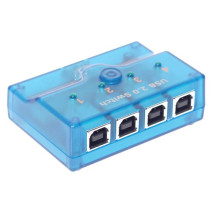
4-Port USB 2.0 mini switch A/B/C/D switching for Windows Vista/7
Available
4-to-1 Hi-speed manual USB 2.0 mini switch for peripheral sharing that enables two PCs and / or Macs to share one USB device or a group of USB devices. The 4 port switch can be used through a USB hub to share all devices. The USB switch is USB 2.0 certified with cables.
OS Compatibility


Part# USBG-HWS4
Volume Pricing
Qty: 6+ $18.68
Qty: 144+ $18.22
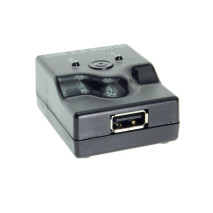
Ultra USB 2.0 Mini Switch 2-Port A/B Manual Switch for Two Computers
Low stock, please call or email for status
This mini switch offers a simple USB 2.0 high speed 480Mbps solution for users to connect two computers to a single USB device. This is the perfect USB switch for use with notebooks or computers to connect a printer, scanner, or digital camera.
OS Compatibility
Part# USBG-MS200
Volume Pricing
Qty: 12+ $17.58
Qty: 48+ $16.02
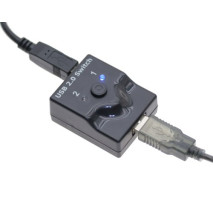
Black mini switch 2-Port A/B USB 2.0 Manual Switch with Two 6ft.Cables
Low stock, please call or email for status
A premium USB enabled device for sharing between two PCs and /or Macs to share one USB device or group of devices through a USB Hub, the USB 2.0 mini switch offers a simple solution for users to connect two computers to a single USB device.
OS Compatibility
Part# USBG-MS208
Volume Pricing
Qty: 6+ $21.98
Qty: 12+ $19.32
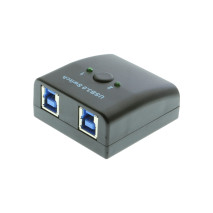
Manual USB 3.0 2-Port AB Switch
Low stock, please call or email for status
The USB 3.0 AB switch enables two computers to share any USB device connected to it. The USB 3.0 switch works with any USB device (printers, scanners, external hard drives, flash drives) and is backward compatible with USB 2.0 devices and computers as well. It uses bright LED lights indicate which computer your device is connected to.
OS Compatibility
Part# USBG-MS302
Volume Pricing
Please see product details to view volume discounts.
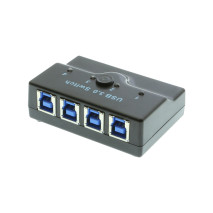
USB 3.0 Manual 4-port AB Switch 4 computers to 1 device
Not in stock - Backorder Allowed
Sharing your USB 3.0 device with four computers is easy with this USB switch! This simple to use port switch enables you to share ANY USB device with four computers quickly and easily. The 4 port switch easily enables your device and computers by simply plugging it into their appropriate USB ports.
OS Compatibility
Part# USBG-MS304
Volume Pricing
Please see product details to view volume discounts.

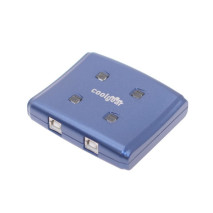
Blue USB switch with USB 2.0 high speed allows 4 computers to 1 device
EOL - 46 Remaining
The device switch allows 4 computers to share one device with a manual push button while maintaining USB 2.0 high speed, or HOT-Key selector via the provided sharing software. This USB port data switch includes (1) 5.0ft Long USB 2.0 certified cable.
Part# SW-241A
Volume Pricing
Please see product details to view volume discounts.
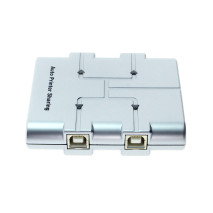
4-Port USB 2.0 Sharing Switch - Use 4 computers to 1 device
EOL - 7 Remaining
Save time and effort with manually switching your devices for each computer, The 4 port USB 2.0 sharing switch allows up to 4 computers to use 1 USB device with no hassles.
Part# SW-AUA0-US
Volume Pricing
Please see product details to view volume discounts.